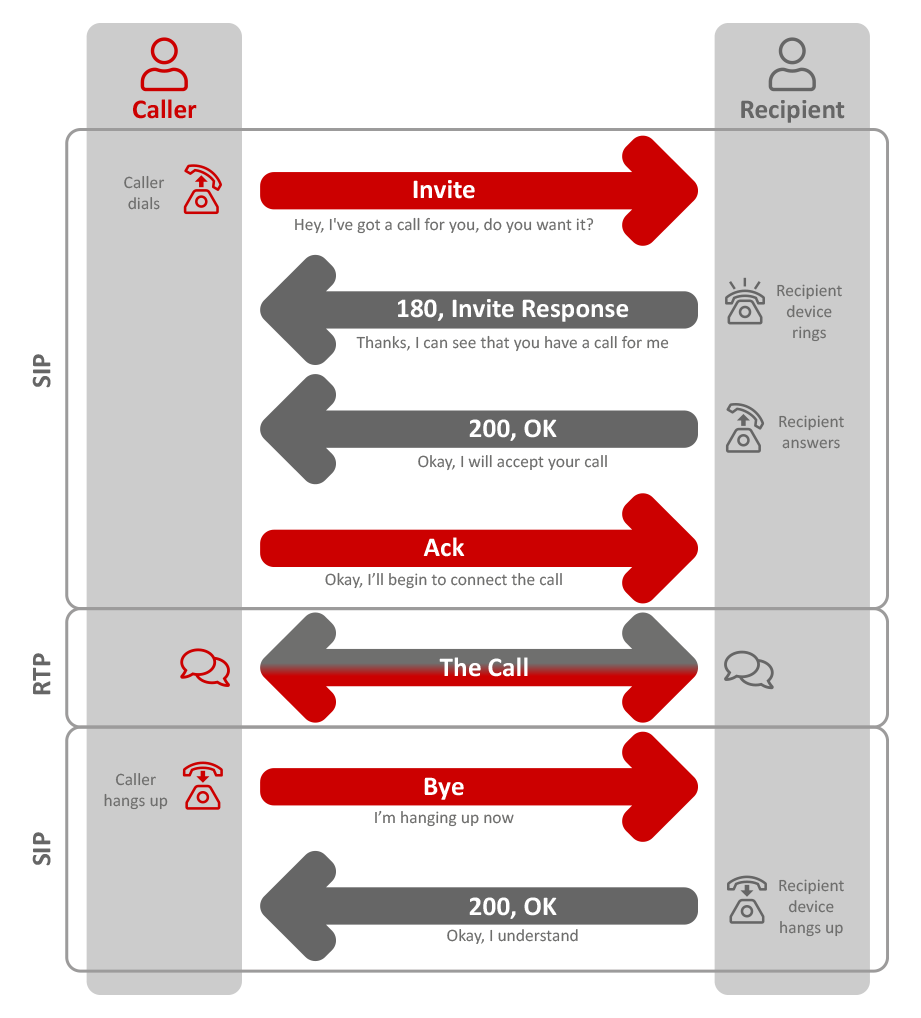
This establishes a connection and confirms that you are ready to make and receive phone calls. 2.SIP Invite
This takes place when you are actually making calls
SIP Registration
To make a VoIP call you must first register your intention. Registration is made by your VoIP device, whether this be a softphone or a physical handset, and simply makes a connection to confirm that you are available. Registration isnt a one-off, with most phones re-registering every 1 to 60 minutes. This is known as the session length and set on the device itself. You can think of it of the device just letting the platform know that its still available and ready to make and receive calls.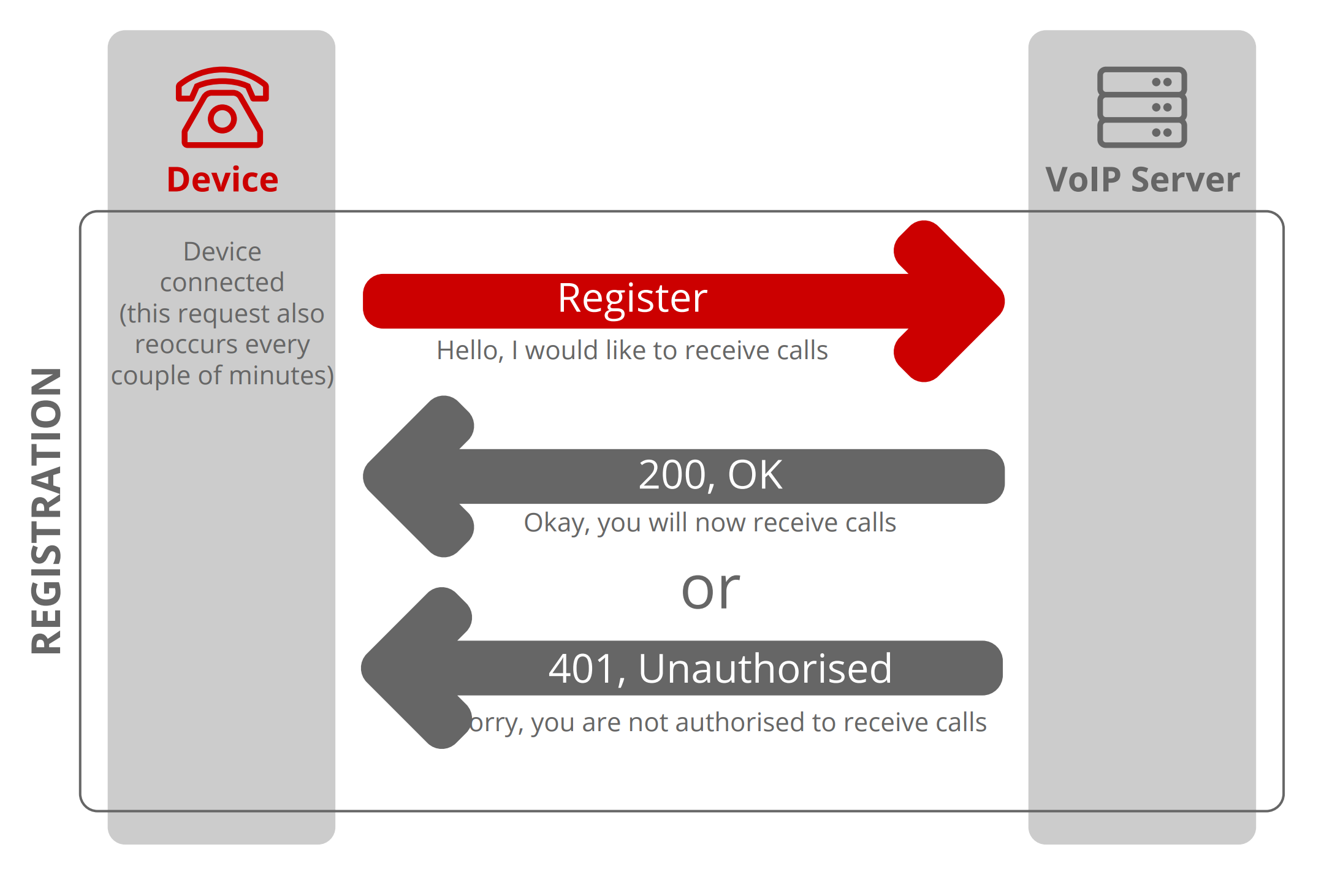
SIP Invitations
When you actually make or receive a call, it all starts with an Invite. The invite is between the end users device and the VoIP provider who is handling the call. During this invite they will establish:- Codecs both parties are using and in which order to access them
- Which RTP (Real-time Transport Protocol) ports will be used for the transmission of audio in both directions.